- Login into WebCADENCE™.
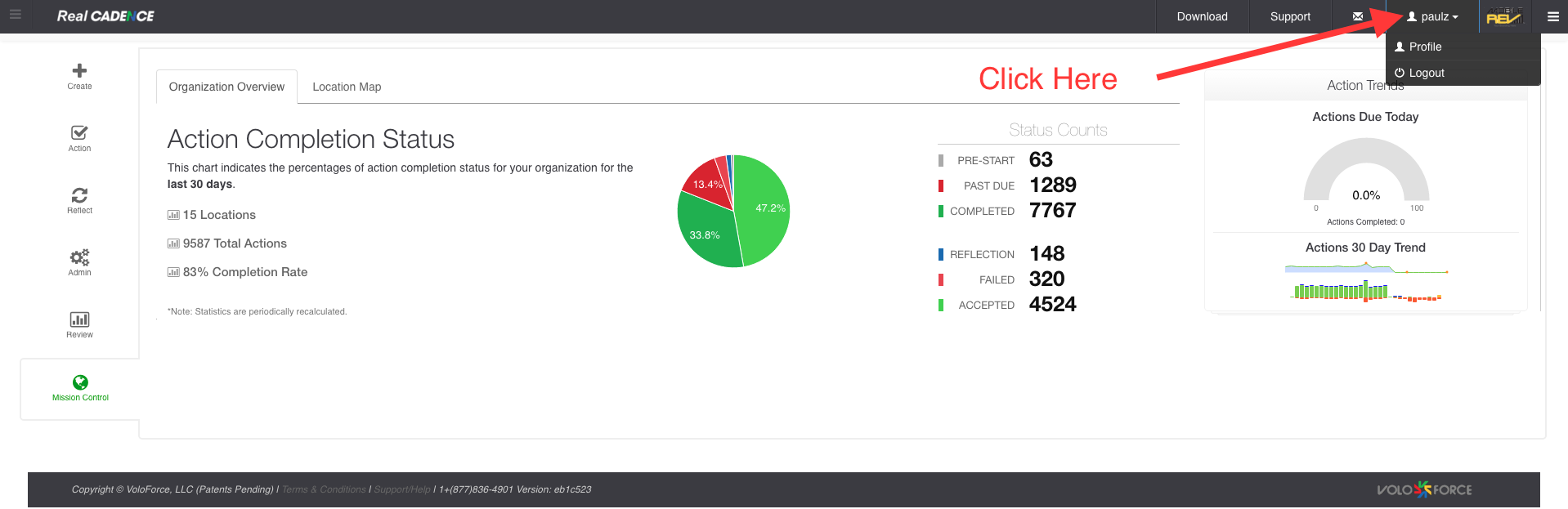
- Click on your name drop down
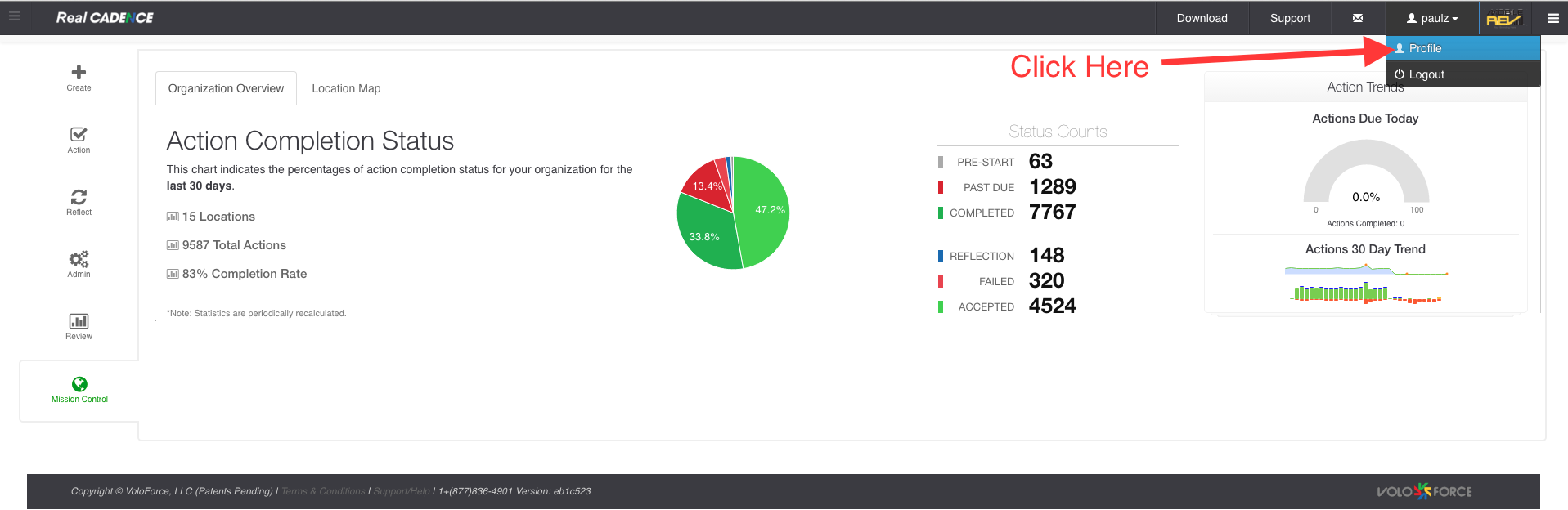
- Then click profile.
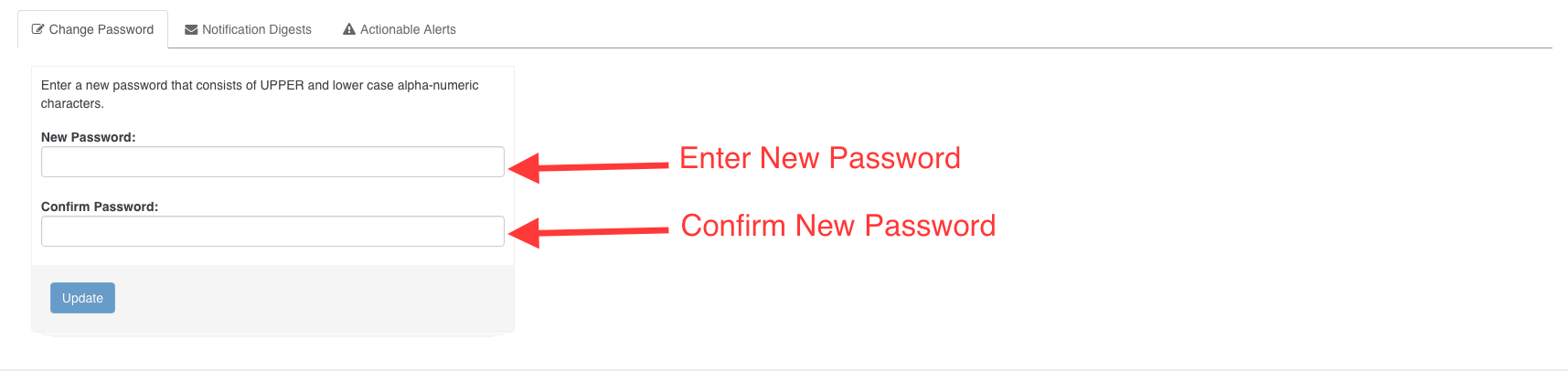
- You will see the profile page. Enter your new password then confirm the new password and click the update button. You password will be changed at this point. Next time you will login with the new password.
How-to: Change Password

Comments
Please sign in to leave a comment.